**Staying Private and Safe When Using Public Wi-Fi**
Public Wi-Fi is convenient until your phone connects to a network you know almost nothing about. You sit down with a coffee, tap the familiar Wi-Fi name, and get online in seconds. But do you know who operates that network? Can you tell whether another hotspot nearby is pretending to be the real one? These questions matter more than the speed of the connection. The good news is that you don't need to become a cybersecurity expert to use public Wi-Fi sensibly. A few habits, combined with the right phone settings, can greatly reduce unnecessary exposure.
What Public Wi-Fi Reveals About Your Connection
When you connect to a café, hotel, airport, library, or shopping centre network, your phone communicates with equipment that belongs to someone else. That's the main difference from a connection you control at home.
The biggest problem isn't that every person on the same network can automatically read your messages or passwords. Most major websites and apps now use encrypted connections. The more realistic concern is that an unknown network can still create opportunities for tracking, fake login pages, unwanted redirects, or other attacks.
There's also a simple mistake that's easy to make: connecting to the wrong hotspot.
Imagine you're in a busy café and see two networks with almost identical names. One belongs to the café. The other was created by someone nearby. Your phone has no way to judge the situation based only on the name. That's why it's better to ask staff for the exact network name instead of guessing.
Your device also has privacy features that help limit tracking. On recent iOS versions, for example, private Wi-Fi addresses can reduce the ability of networks to identify the same device across different connections.
Simple Steps to Reduce Risk on Shared Networks
Good public Wi-Fi habits don't require much effort. In fact, most of them become automatic once you've used them a few times.
Before joining a network, check its name carefully. If the venue provides a password, ask an employee rather than taking one from a random poster or message. Once connected, don't leave Wi-Fi enabled when you no longer need it.
Your phone should also be kept up to date. Operating system updates aren't just about new features. They can include fixes for security problems that attackers may already know about.
A few useful habits are easy to remember:
Turn off automatic connection to unfamiliar networks.
Use HTTPS websites when entering personal information.
Keep iOS and installed apps updated.
Use two-factor authentication for important accounts.
Don't download unknown files while connected to a questionable hotspot.
Avoid sensitive tasks if the network seems unusual.
Switch to mobile data when you have doubts about the Wi-Fi.
There's another practical point that often gets overlooked: don't leave your phone unlocked while you're away from it. A safe network can't protect a device that someone can simply pick up and use.
Where a VPN Fits Into Everyday Phone Use
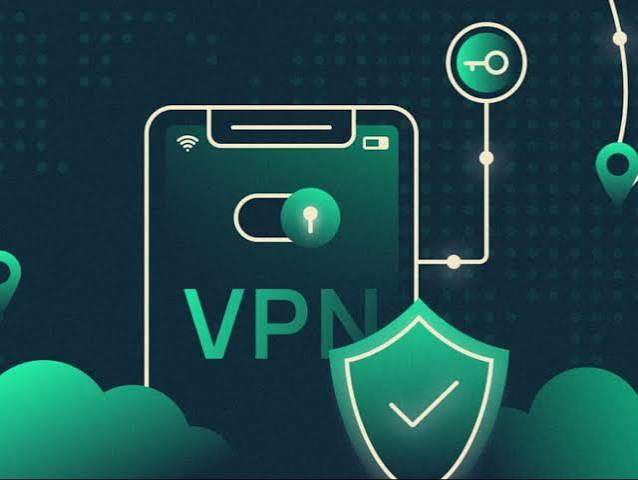
A VPN can add another layer of protection when you're connected through a network you don't control. Instead of sending your internet traffic directly through the public connection, the VPN creates an encrypted connection between your device and its VPN server.
This can be especially useful when you're travelling. Hotel Wi-Fi, airport networks, conference venues, and cafés are common places where people connect without knowing much about the underlying network.
For someone comparing options for an iPhone, https://toggle.org/vpn-for-ios can be included as a reference when looking into how VPN software works on iOS.
A VPN isn't a magic shield, though. It doesn't make every website trustworthy, and it won't stop you from entering your password into a fake login page. If a scammer creates a convincing copy of a banking website, encrypted traffic can still go directly to that scammer's server.
There's also an important trade-off: when you use a VPN, you're placing more trust in the VPN provider. The provider handles the traffic that passes through its service, so its privacy policy, data practices, and reputation deserve attention before installation.
VPN Settings That iPhone Users Should Understand
Installing a VPN and forgetting about it isn't always the best approach. Take a few minutes to understand what happens when the connection starts, stops, or changes from Wi-Fi to mobile data.
Check whether the VPN connects automatically and whether it remains active when you move between networks. This matters when travelling because your phone may switch from one hotspot to another without making the change obvious.
It's also useful to review the permissions requested by a VPN app. The service may need access to certain network functions to operate, but you should still understand what you're allowing.
Don't assume that every VPN handles data in the same way. Some services collect more information than others. Before choosing one, look at its privacy policy and find out what connection data is stored, how long it is kept, and whether information is shared with other companies.
If the phone belongs to your employer, there's another rule: follow the company's instructions. A work device may already have a required VPN or network configuration, and adding another service could interfere with it.
A Practical Privacy Checklist Before Connecting
You don't need to inspect every technical detail before using Wi-Fi. A short mental checklist is enough for most situations.
Ask yourself:
Do I know who operates this network?
Is the network name definitely correct?
Is my phone running the latest available software?
Am I using a VPN when the connection isn't trusted?
Am I about to enter information that could cause problems if exposed?
Would mobile data be a better option for this particular task?
If the answer to the last question is yes, there's no reason to force yourself onto public Wi-Fi. Mobile data is often the simpler choice for banking, account recovery, or other tasks where you want fewer unknown factors.
Public Wi-Fi isn't something you need to fear. It simply deserves a little attention. Check the network, keep your phone updated, use encrypted websites, understand your VPN settings, and think twice before entering sensitive information. Those habits take very little time, yet they can make a noticeable difference when you're connecting away from home.